Google Forms to Certificates
Answer: Link your Google Form to a spreadsheet, make the sheet publicly viewable, import it in MailMyCertificate, and generate personalized certificate PDFs locally — then send them from your Gmail account without a paid add-on or cloud upload of your roster.
Built for workshops, webinars, bootcamps, and club events that already collect registrations through Google Forms.
Content freshness: Last updated · First published
How do I turn Google Form responses into certificates?
You do not need a marketplace add-on inside Google Forms. The sheet linked to your form becomes your mail-merge data source.
- 1
Create a Google Form with name and email fields
Add questions for participant name and email address. Publish the form and collect responses.
- 2
Link responses to Google Sheets
In the form editor: Responses → Link to Sheets → Create a new spreadsheet or select an existing one.
- 3
Make the spreadsheet publicly viewable
Open the sheet → Share → Anyone with the link → Viewer. Copy the sheet URL.
- 4
Import into MailMyCertificate
Upload your certificate template, paste the public sheet URL, and map form columns to certificate fields.
- 5
Generate PDFs and deliver
Generate certificates locally in your browser. Download a ZIP or send personalized emails via Gmail OAuth.
Which data source should you use?
All workflows in MailMyCertificate generate certificates the same way. Choose based on where your participant data lives:
| Your data source | Recommended workflow | Why |
|---|---|---|
| Google Forms responses | Google Forms workflow (this page) | Responses auto-sync to linked Sheet; most automated |
| Google Sheets only (no Forms) | Google Sheets workflow | Works with any shared Sheets URL; no Forms required |
| Excel or CSV file on your computer | CSV/Excel workflow | File upload; no public URL sharing required |
| Private or offline data | CSV/Excel workflow | No sharing required; stays on your device |
MailMyCertificate vs Google Forms add-ons
Add-ons like Certify'em live inside Forms. MailMyCertificate is a standalone, open-source tool with a different architecture.
| Feature | MailMyCertificate | Typical Forms add-on |
|---|---|---|
| Install inside Forms | No — uses linked Sheet URL | Yes — Workspace marketplace |
| PDF generation location | Your browser (local) | Vendor cloud |
| Open source | ||
| Export limits | No artificial caps | Often freemium tiers |
Where does my Google Form data go?
Form responses stay in your Google Sheet. MailMyCertificate reads the public sheet to fill a local browser session, generates PDFs on your device, and only contacts Google again when you choose Gmail delivery. See our privacy policy and the full guide.
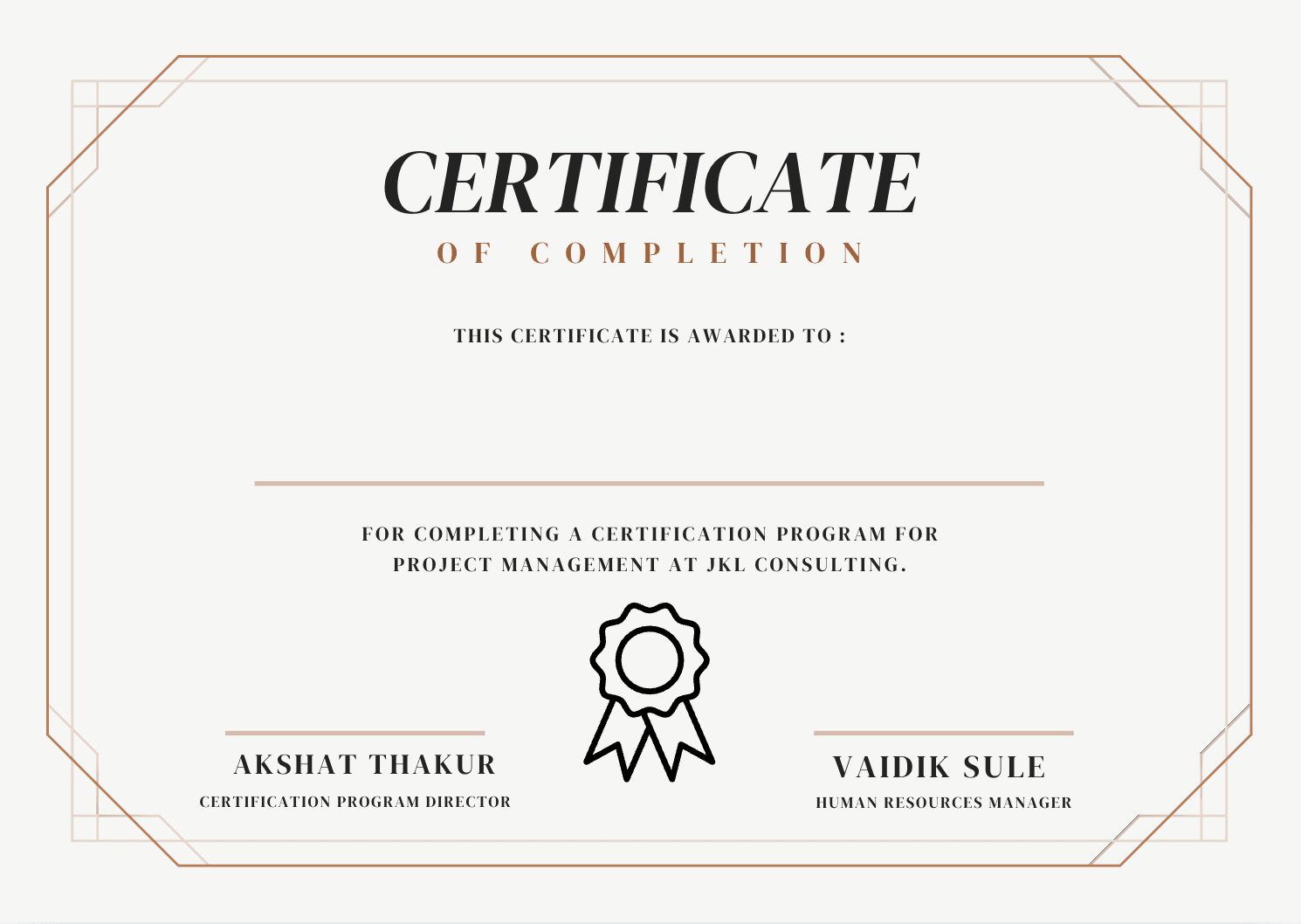
What does a certificate template look like?
A template is an ordinary image with the participant-specific areas left empty. Every fixed element — border, title, signature line, logos — is baked into the image, and only the name and event details are filled per row.
How do I clean up messy Google Form responses first?
Fix three things in the linked spreadsheet before you import: remove duplicate submissions, normalise how names are capitalised, and confirm every row has a valid email address. Google Forms records exactly what people typed, and a certificate prints exactly what the sheet contains, so a name entered as "JOHN DOE" or "john doe" will appear that way on the PDF.
A few minutes of tidying beats reissuing certificates afterwards. In practice these are the recurring problems:
- Duplicate submissions. People submit twice when they are unsure the first attempt registered. Remove duplicates on the email column, keeping whichever row is more complete.
- Inconsistent capitalisation. Applying a proper-case formula to the name column and pasting the result back gives uniform output across the whole batch.
- Trailing spaces. Invisible in the sheet, but they shift text placement on a centred certificate. Trimming the column solves it.
- Test entries. The rows you submitted yourself while building the form are still in there. Delete them before importing.
- Timestamp and consent columns. Harmless to leave in place, since you choose which columns map to certificate fields, but hiding them makes the mapping step less error-prone.
Collecting the right fields in the first place
If you are still designing the form, make the name a single short-answer question rather than separate first and last name questions, and mark it required. One field maps cleanly onto one certificate placement, whereas splitting it means recombining two columns later.
Collect only what the certificate and the email actually need, which is usually a name and an email address. Every extra personal detail is data you then have to look after, and the local-first workflow protects that data once it reaches your browser, not the copy already sitting in your Google account.
Google Forms certificate FAQ
Registration → certificate delivery
Do I need a Google Forms add-on?
Do I need a Google Forms add-on?
No. MailMyCertificate is a standalone web app. Link your form to a Google Sheet, make the sheet public, and import the URL — no Workspace marketplace install required.
Will new form responses appear automatically?
Will new form responses appear automatically?
Google Sheets updates when new responses arrive. Re-import or refresh your sheet URL in MailMyCertificate when you are ready to generate certificates for the latest rows.
Can I send certificates to the email collected in the form?
Can I send certificates to the email collected in the form?
Yes. Include an email question in your Google Form. Map that column when importing the linked sheet, then use Gmail delivery in MailMyCertificate.
Is Certify’em better for Google Forms?
Is Certify’em better for Google Forms?
Certify’em runs inside Google Forms as an add-on. MailMyCertificate is free, open source, and keeps PDF generation local in your browser — better if you want privacy and no per-certificate limits.
What certificate template format do I need?
What certificate template format do I need?
Upload a PNG or JPG template. Design in Canva or export from any tool, then place dynamic fields (name, email, event) in the visual editor.
Form responses waiting? Ship certificates today.
Open certificate toolKeep reading
Related workflows and answers from the rest of the site.
- Google Sheets certificate generatorPull names straight from a public Google Sheets URL instead of exporting a CSV first.
- Full step-by-step guideThe complete walkthrough: template setup, field mapping, generation and Gmail delivery.
- Bulk Gmail deliveryHow OAuth sending works, what the gmail.send scope covers, and Gmail sending limits.
- Hackathon certificate generatorWinner, runner-up and participation batches for Devfolio, Unstop and MLH-style events.
- Workshop certificate generatorBest practices for creating and sending certificates to workshop participants at scale.
- Webinar certificate generatorGenerate certificates for online events with optional attendance tracking and bulk delivery.