Canva Certificate Alternative for Bulk Generation
Answer: Keep designing your certificate in Canva, then export it once as a PNG or JPG and upload it to MailMyCertificate. Import your participant list from CSV or Google Sheets, drag name and event fields onto the design, and generate every personalized PDF locally in your browser. You skip the part Canva was never built for: duplicating a template and retyping a name for each attendee.
This is not a design tool and it does not try to be one. Canva is excellent at layout and typography. MailMyCertificate handles the mail merge and delivery step that comes after the design is finished, which is where manual work multiplies with every extra participant.
Content freshness: Last updated · First published
Why does manual Canva editing stop working past 100 certificates?
Because the work scales linearly with your attendee count. Duplicating a Canva design, editing the name field, exporting the file and renaming it takes roughly 30 to 60 seconds per person once you account for switching between your spreadsheet and the editor. That is a manageable ten minutes for a workshop of fifteen people, and an unpleasant five to eight hours for a cohort of five hundred.
Manual Canva workflow
Duplicate, retype, export, rename, attach. Repeated once per attendee, with the error rate climbing the longer you do it.
Design once, merge once
One Canva export plus one participant file. Field placement is set a single time and applies to every row in the batch.
The other failure mode is silent: a typo in row 240 that nobody notices until a participant emails about a misspelled name. Generating from a spreadsheet means every certificate reads from the same reviewed source of truth, so a correction happens once in the sheet rather than once per file.
How do I bulk-generate certificates from a Canva template?
Five steps, and only the first one happens in Canva.
- 1
Design once in Canva
Create your certificate layout in Canva. Leave clear space for dynamic name and event fields.
- 2
Export as PNG or JPG
Download a high-resolution image (not PDF). MailMyCertificate uses image templates today.
- 3
Prepare your participant list
Use CSV or a public Google Sheet with names, emails, and optional columns like event or role.
- 4
Upload and map fields in MailMyCertificate
Import the template and data, drag fields onto the design, and generate all PDFs locally.
- 5
Download ZIP or send via Gmail
Deliver certificates in minutes instead of editing each Canva file manually.
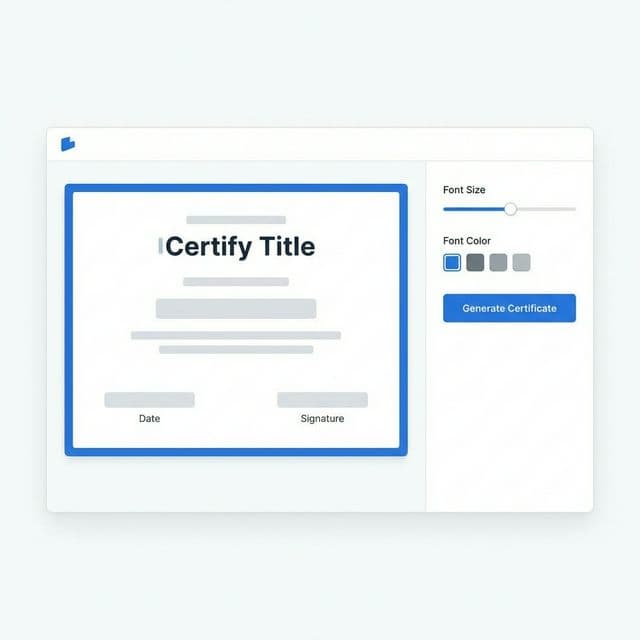
Field placement in the MailMyCertificate editor. Positions are set once and applied to every row in your participant file.
What export settings should I use in Canva?
Export as PNG at the largest size Canva offers you, and leave the name area empty. MailMyCertificate uses image templates, so a PDF export will not work as a template file. A landscape A4 or US Letter canvas at 300 DPI gives certificates that stay crisp when a participant prints them.
- Format: PNG or JPG. PNG is preferable because it avoids the compression artefacts JPG introduces around sharp text edges.
- Canvas: landscape A4 (297 × 210 mm) or US Letter (11 × 8.5 in) matches what most people expect from a certificate.
- Leave gaps: keep the name, event and date areas blank in the export. Those are filled per participant, and placeholder text baked into the image cannot be removed later.
- Fixed elements stay: logos, signatures, borders and body copy that are identical for everyone belong in the Canva design.
- Check contrast: a busy background behind the name area makes generated text harder to read than it looks in the empty template.
Canva alone vs Canva plus MailMyCertificate
The two tools solve different halves of the same job. This is what changes when you add the merge step.
| Approach | Design control | 500 certificates | Participant data | Cost |
|---|---|---|---|---|
| Canva alone (manual) | Full | Hours of repetition | Stays with you | Free tier limits apply |
| Canva + MailMyCertificate | Full (design in Canva) | One batch, generated locally | Never leaves your browser | Free (MIT licence) |
| Paid SaaS certificate platforms | Template library, less freedom | Bulk via cloud | Uploaded to the vendor | Subscription or per certificate |
When should you not use MailMyCertificate?
Three cases, stated plainly so you do not waste time discovering them later.
- You need verifiable credentials. If recipients must validate a certificate through a public verification portal or a scannable registry, MailMyCertificate does not provide that. See the Certifier comparison for where a paid platform is the correct answer.
- You want to edit a PDF template directly. Templates are images. A PDF design has to be exported to PNG or JPG first.
- You need LMS or API integration. There is no enterprise API for pushing certificates into a learning management system.
For a straightforward run of participation, winner or completion certificates from a design you already have, none of those limits apply.
Canva certificate alternative FAQ
Design workflow, exports, and what changes
Can I still design certificates in Canva?
Can I still design certificates in Canva?
Yes. Design your template in Canva, export as PNG or JPG, then upload to MailMyCertificate for bulk personalization. You stop repeating manual name edits in Canva — not designing there.
Why is manual Canva painful for 100+ certificates?
Why is manual Canva painful for 100+ certificates?
Canva is built for one-off designs. Copying a template, editing text, and exporting PDFs per row does not scale. MailMyCertificate automates the merge step after you design once.
Does MailMyCertificate replace Canva entirely?
Does MailMyCertificate replace Canva entirely?
No. It replaces the repetitive mail-merge and delivery workflow. Use Canva (or Figma) for design; use MailMyCertificate for batch PDF generation and Gmail send.
Is this free compared to Canva Pro exports?
Is this free compared to Canva Pro exports?
MailMyCertificate is free and open source with no artificial export limits. Canva may limit bulk downloads on free tiers.
Where is participant data processed?
Where is participant data processed?
In your browser. Canva uploads are not required for every attendee row — you import CSV or Google Sheets locally instead.
Keep reading
Related workflows and answers from the rest of the site.
- Full step-by-step guideThe complete walkthrough: template setup, field mapping, generation and Gmail delivery.
- Google Sheets certificate generatorPull names straight from a public Google Sheets URL instead of exporting a CSV first.
- Hackathon certificate generatorWinner, runner-up and participation batches for Devfolio, Unstop and MLH-style events.
- MailMyCertificate vs CertifierAn honest side-by-side, including the cases where Certifier is the better choice.
- MailMyCertificate vs CanvaWhen to use Canva for design, when to use MailMyCertificate for bulk automation, and how to combine both.
- Workshop certificate generatorBest practices for creating and sending certificates to workshop participants at scale.
Your design is done. Let the merge run itself.
Upload the Canva export, point at your participant list, and generate the whole batch in your browser.
Open certificate tool